# Configurar como Imap - Outlook ANDROID
Configurar o e-mail no aplicativo Outlook do android como IMAP
##### 1 - Abra o Aplicativo Outlook e vá em adicionar conta e insira seu e-mail.
[](https://wiki.davet.net.br/uploads/images/gallery/2021-12/imkdjf43tQfNQsO8-image-1638980461535.png)
##### 2 - Adicione o seu email corporativo conforme o exemplo e clique em continuar
[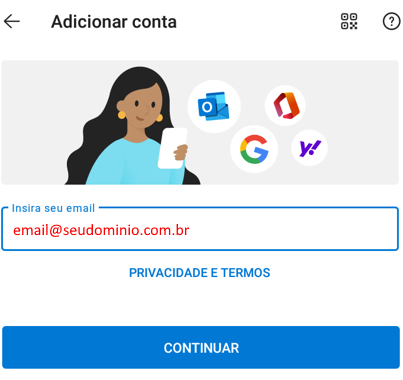](https://wiki.davet.net.br/uploads/images/gallery/2021-12/b8NiDe9R153Cn8xi-image-1638980818452.png)
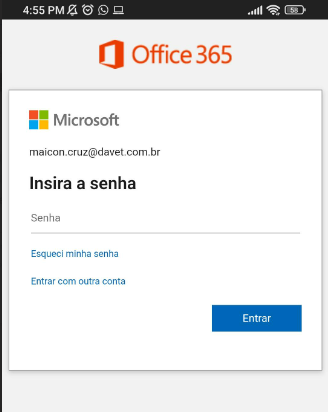
##### 3 - Se aparecer a tela a seguir clique em voltar no seu smartphone para aparecer outras opções de configuração, conforme o passo 4
[](https://wiki.davet.net.br/uploads/images/gallery/2023-07/jLTRx42ewzhK0zF9-image-1688673890160.png)
##### Obs: Se não aparecer a tela anterior mas aparecer a opção POP, IMAP, Selecione a opção IMAP
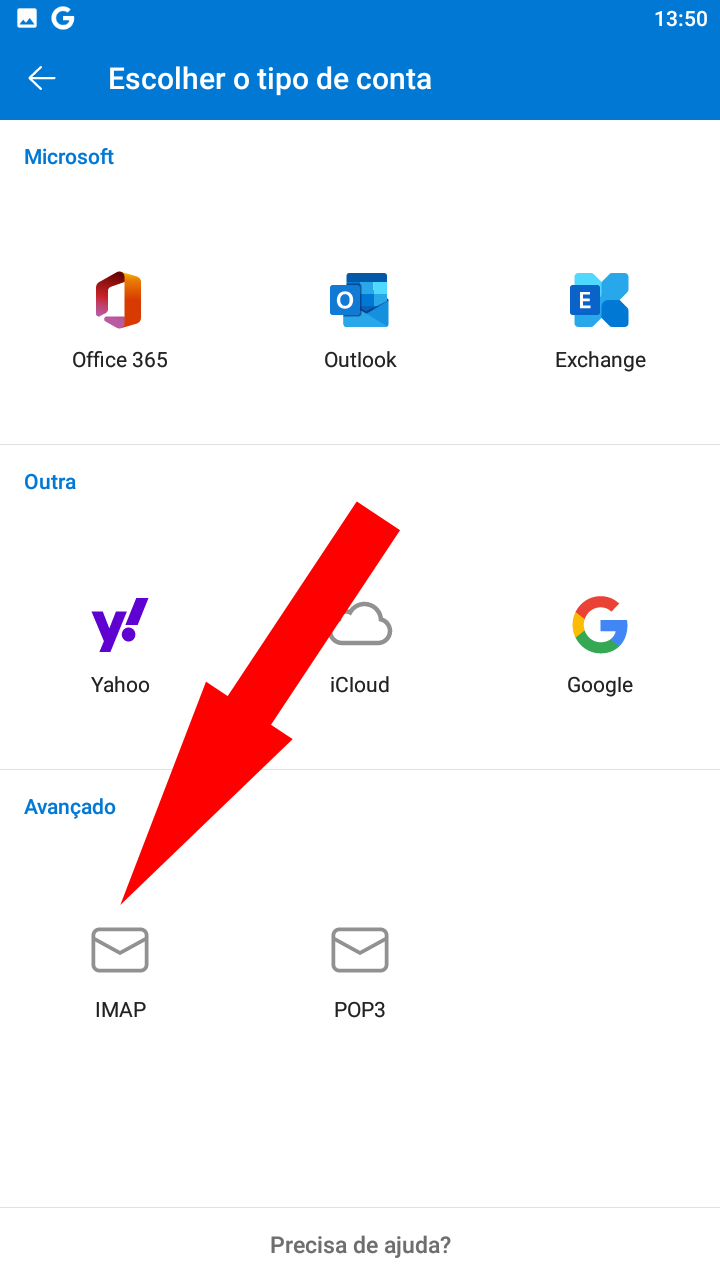
##### 4 - Na pagina de configuração, clicar no IMAP
[](https://wiki.davet.net.br/uploads/images/gallery/2021-12/lqVFCN5MXOYHRFnx-image-1638989387252.png)
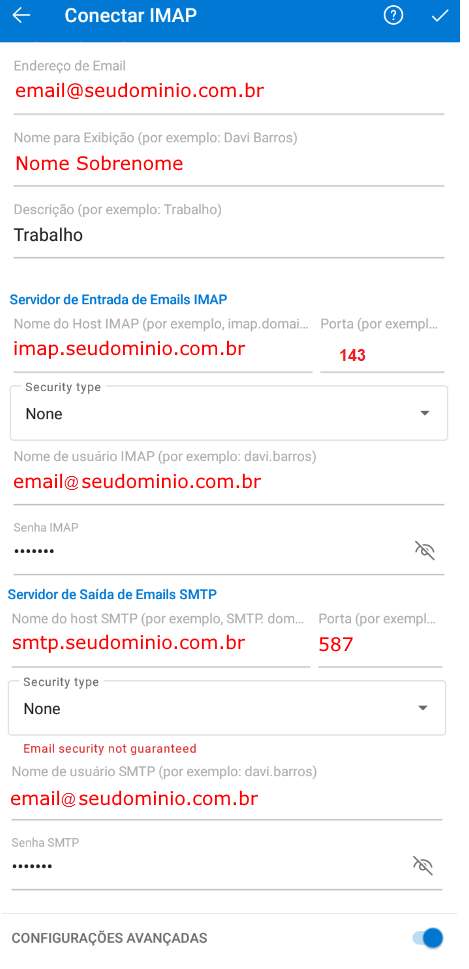
##### 5 - Preencher os dados solicitados.
Dados:
Seu endereço de email
Nome de exibição para mensagens
Descrição. Exemplo "Trabalho"
Servidor IMAP:
**imap**.seudominio.com.br
PORTA: 143
Security TYPE: None
Nome de usuario IMAP
Seu e-mail e sua senha do e-mail
Servidor SMTP:
**smtp**.seudominio.com.br
PORTA: 587
Security TYPE: None
[](https://wiki.davet.net.br/uploads/images/gallery/2023-07/GSqY8VCTpZJojMR3-image-1688676007854.png)
##### 6 - Salvar as configurações.